

prostir zvuku
my own project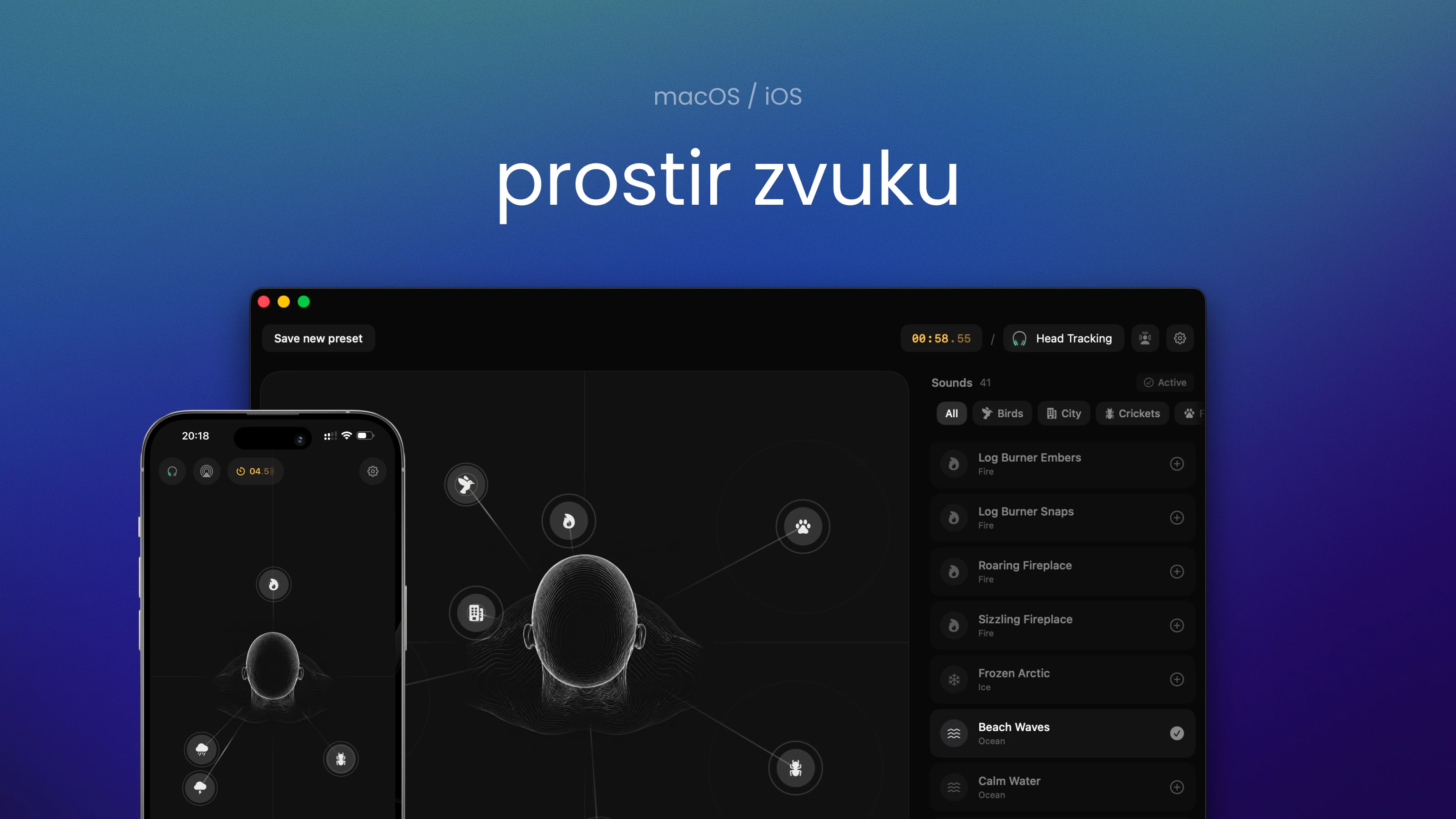
- My own product: a nature sound mixer for focus, rest and sleep, on Mac and iPhone.
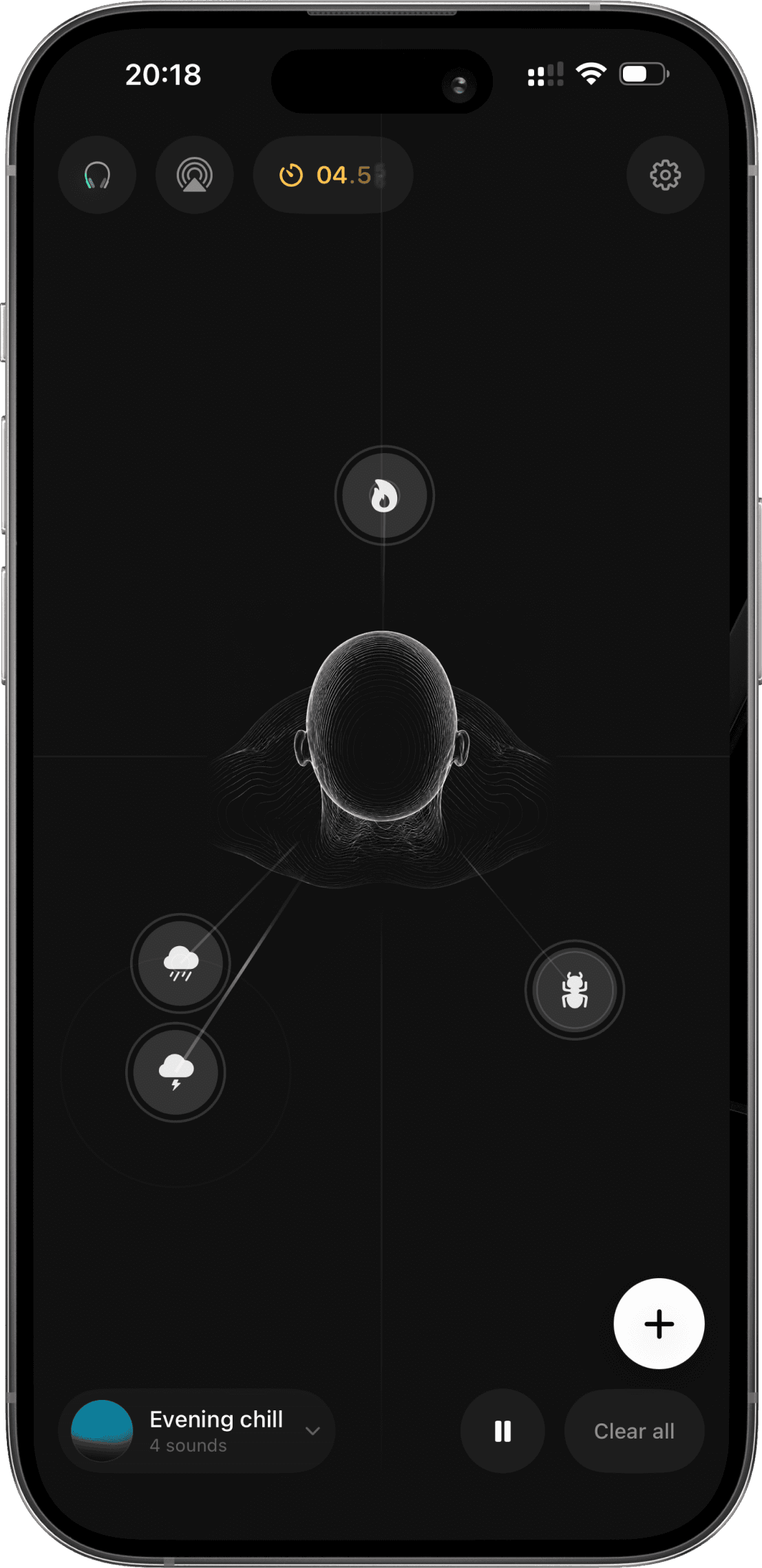
- Instead of volume sliders, you place rain, fire, sea and birds around you and build a room out of sound.
- I did everything: the idea, UX, visuals, motion, native code, monetisation and launch.
- Saved rooms move between devices through iCloud.
- Discover
- Onboard
- Build a room
- Save
- Come back
- Upgrade
Sound mixers feel like a mixing desk, not like being somewhere
Most ambient apps are a list of sliders. You tweak numbers, but you don’t feel like you’re in a place, and spatial audio stays hidden behind settings.
- A row of sliders says nothing about where a sound is.
- Spatial audio and head tracking exist, but people never find them.
- Tutorials explain every control and get skipped.
- Subscriptions for a calm little app feel like a trap.
The product bet: make space itself the interface
- Started from the interaction model, not the screens: what if a sound is an object you can move?
- Prototyped on real audio early, so every idea was heard, not just seen.
- Launched publicly and kept iterating on feedback from Product Hunt and Reddit.
Insights
Position is meaning
Closer means louder and more present. Left, right and behind change the feel.
Learning by doing beats explaining
People get the model the moment they drag the first sound.
Calm products need calm motion
Animation should confirm, not excite.
Free has to be truly useful
Trust comes before payment, not after.
Hypotheses
- H1
If sounds are objects on a canvas, people understand a complex audio system without seeing a single parameter.
Canvas - H2
If onboarding builds a real room step by step, people learn the model and finish with something useful, not a throwaway tutorial.
Onboarding - H3
If each platform gets its own native controls (notch and menu bar on Mac, Lock Screen and Dynamic Island on iPhone), people come back more often.
Mac and iPhone - H4
If the free tier is genuinely useful and Pro is one lifetime purchase, people pay without feeling pushed.
Monetisation
Five decisions that shaped the product
Native stack: Apple’s audio engine, binaural HRTF, head tracking on supported AirPods, offline library. Motion data never leaves the device.
From the first sound to a room on two devices
You learn by building your first room
Pick a mood, get a room, place the first sound yourself.
The full editor, nothing hidden
Canvas, library, timer and output on one surface, from one sound to a layered room.
One room, native on both platforms
Notch and menu bar on Mac. Lock Screen and Dynamic Island on iPhone.
Motion is feedback, not decoration
Pulses show playback, drags keep the sense of space, fades keep it calm.
Native audio, private by default
- HRTFHQ binaural
- AVAudioEngine
- Head tracking
- Offline library
- iCloud sync
- Universal purchase
Making money without breaking trust
- The free tier is a real room with spatial audio and head tracking, so people feel the value before paying.
- Pro is one universal lifetime purchase for Mac and iPhone, no subscription.
- RevenueCat handles purchases on both platforms, so I could try paywall versions without rebuilding payments.
Free
A real canvas, one sound per category, two layers, head tracking, a five-minute timer.
Lifetime Pro
One purchase for everything on Mac and iPhone.
RevenueCat
Shared purchase logic and paywall tests across platforms.
A product I built on my own that found its audience
- Shipped on Mac and iPhone, launched with a website, App Store page and community posts.
- #3 Product of the Day on Product Hunt; the Reddit launch post got 18K views and lots of detailed feedback.
- Kept iterating after release based on that feedback.
- #3
- Product of the Day on Product Hunt
- 18K
- views on the r/macapps launch post
- 2
- native platforms, one purchase
One person can take a product from idea to a paying audience
- Strategy, interaction, visuals, motion, native code, monetisation and launch in one shipped product.
- The win isn’t the feature count. It’s a clear model: build a place around you and take it anywhere.